
Introduction
If you are caught in daily Roblox screen time battles every time you ask your child to turn off their device, you are far from alone. Roblox has grown into a massive global gaming platform with nearly 80 million daily active users—and roughly 39% to 40% of those players are children under the age of 13. Every single day, parents of primary schoolers find themselves fighting the exact same battle, dealing with sudden meltdowns, and feeling utterly worn down by endless pestering for “just five more minutes.”
Why does turning off this specific game trigger such intense emotional distress? More importantly, how can parents regain control without turning every evening into an argument?
This comprehensive guide breaks down the biological science behind screen-time tantrums, explains step-by-step how to configure Roblox’s remote parental controls, outlines modern safety risks every parent should know, and provides a realistic toolkit to bring peace back to your home.mportantly, how can parents regain control without turning every evening into an argument?
This comprehensive guide breaks down the biological science behind screen-time tantrums, explains step-by-step how to configure Roblox’s remote parental controls, outlines modern safety risks every parent should know, and provides a realistic toolkit to bring peace back to your home.
1. The Brain Science Behind the Post-Cutoff Meltdown
To solve screen-time tantrums, it helps to first understand what is happening inside your child’s developing brain when they are playing.
The Dopamine Loop
When children play engaging video games like Roblox, their brains release high amounts of dopamine—a key neurotransmitter associated with pleasure, reward, and motivation. Roblox is specifically engineered to keep players engaged through continuous reward cycles: leveling up, earning virtual badges, unlocking avatar accessories, or completing obbies (obstacle courses).
Pediatric experts at the American Academy of Pediatrics (AAP) explain that when a highly pleasurable activity is suddenly cut off, brain dopamine levels plunge rapidly. This abrupt drop leaves children feeling instantly irritable, anxious, or resentful. Former tech executives have even admitted to feeling guilt over how digital media exploits this exact “dopamine loop”.
Emotional Avoidance & Self-Regulation
Screen time is not always about pure pleasure-seeking; children often use interactive gaming to distract themselves from boredom, fatigue, or daily distress. When the screen turns off, all that unaddressed distress returns at once.
Adults possess the developed prefrontal cortex needed to recognize and manage feelings of frustration when stepping away from entertainment. Toddlers and young school-aged children, however, are still building these emotional self-regulation skills. A severe post-screen meltdown is not necessarily a sign of a “bad kid” or failed parenting; it is often a child’s temporary inability to cope with a sudden, overwhelming neurochemical shift.
2. Modern Roblox Risks Parents Face Today
Understanding why kids love Roblox is only half the battle. Parents must also understand how the platform operates and where potential hazards lie.
1. It Is a Social Platform, Not a Single Game
Roblox is not a traditional standalone video game like Super Mario. Instead, it is a massive user-generated platform hosting millions of individual mini-games called “experiences”. It functions much like a social media platform with an algorithmic “For You” feed.
2. User-Generated Content & Maturity Ratings
Because millions of independent developers create content for Roblox, material can vary wildly. Roblox categorizes experiences into four content maturity labels:
- Minimal: Suitable for all ages with minimal impact.
- Mild: May contain mild violence or crude humor.
- Moderate: May contain moderate combat violence, crude humor, or romantic themes.
- Restricted: Intended for verified users 17+ only.
3. In-Game Currency & Robux Pressure
Roblox uses a virtual currency called Robux. The platform is designed to make players strongly desire avatar clothing, special abilities, and game passes. Young children often struggle to understand the real-world value of money, leading to accidental overspending or persistent begging for Robux gift cards.
4. Stealth Communication Methods
While Roblox includes text chat filters, players can also communicate in ways that leave no text logs. For example, players can change their character appearance (“skins”) or perform animated dances (“emotes”). These non-verbal interactions provide subtle ways for players to communicate outside standard chat oversight.
5. Chat Safety & AI Monitoring (“Sentinel”)
Roblox’s AI safety system, known as Sentinel, scans over six billion chat messages daily to detect predatory behavior or child endangerment. While this technology has led to reports to law enforcement, child safety critics note that no automated filter is 100% foolproof.
6. The “Age 13 Cliff”
One of the most critical issues parents face is that when a child’s account reaches age 13, Roblox automatically relaxes many built-in parental restrictions. Default sending limits, privacy rules, and communication blocks that applied under age 13 expire, requiring teens to manage their own blocking and safety.
3. Step-by-Step Guide to Roblox Remote Parental Controls
Roblox allows parents to manage safety settings remotely from their own devices after linking accounts. Here is how to configure these protections correctly:
Step 1: Create a Parent Account & Verify Identity
Set up a separate adult account at Roblox, verify your identity, and send a link request from your child’s device settings.
Step 2: Enforce Daily Screen-Time Limits
Set a daily time cap in your parent dashboard settings. Once your child hits their limit, Roblox will automatically lock them out for the rest of the day.
Step 3: Lock Down Spending Limits
Navigate to Spending Restrictions. Set the Monthly Spending Limit to $0 (or a set budget) and turn on notifications for All Transactions so you receive instant alerts for any purchase attempt. Additionally, unlink any saved credit cards or payment methods from your app store or billing profile to prevent unauthorized charges.
Step 4: Restrict Content Maturity & Chat
Set content maturity to minimal or mild, and adjust communication settings to prevent unmonitored messaging.
Step 5: Review Friends & Activity
Periodically check your child’s connections and friends list inside the parental controls center, and remove or block any unknown accounts.
4. The Parent Safety & Digital Literacy Toolkit
- Whole-House Device Control (Kidslox): Provides broader device management across all apps, browsers, and devices in your home. It allows parents to set bedtime schedules and total daily screen limits across tablets, phones, and computers.
- Router-Level Content Filtering: Built-in settings on modern home Wi-Fi routers or consumer-friendly security apps that automatically block adult content, enforce SafeSearch, and manage device access across the entire household.
- Family Media Agreements (AAP Family Media Plan): A free, interactive tool from the American Academy of Pediatrics (HealthyChildren.org) that helps parents and children co-create household rules for screen-free meal times and bedrooms.
- Interactive Digital Literacy Programs:
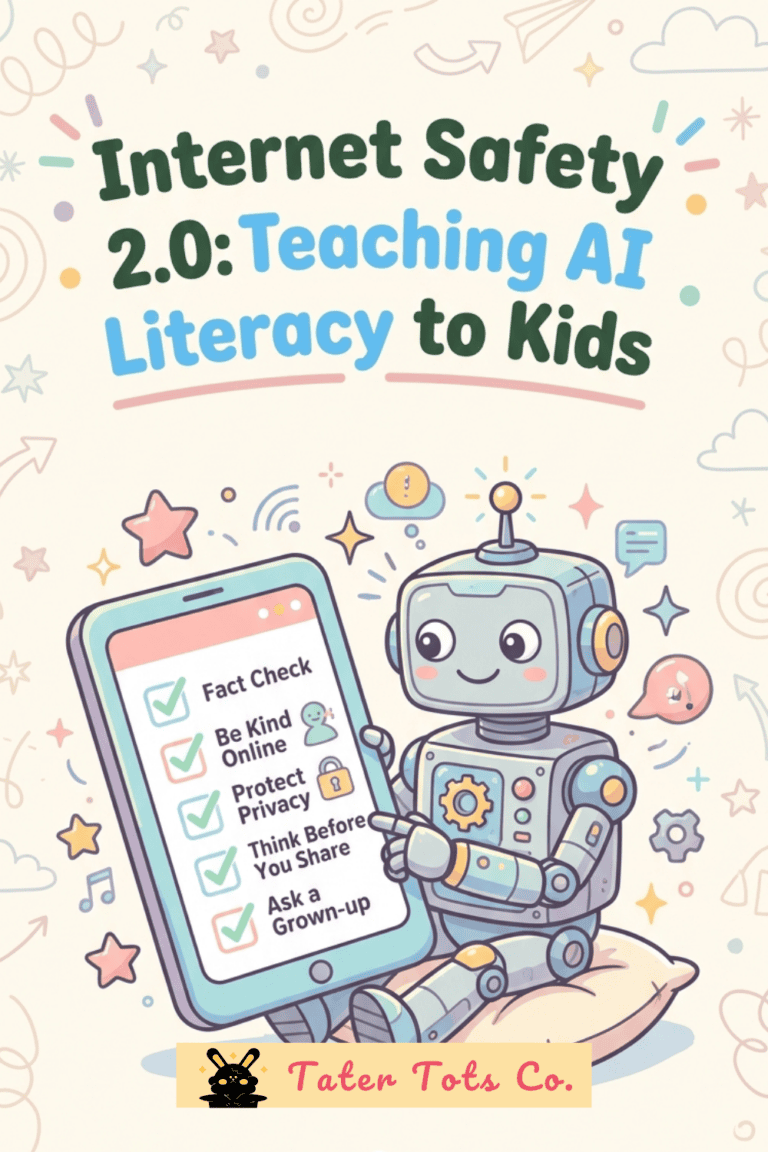
- Google’s Be Internet Awesome / Interland: A free interactive game teaching kids fundamental internet safety, scam detection, and online kindness.
- Common Sense Media: An authoritative non-profit offering age ratings, parent guides, and gaming reviews.
- SafeQuest Lab: An interactive learning lab designed to build children’s internal safety compass. Rather than relying solely on parental locks, Safe Quest Lab offers bite-sized micro-courses for kids focused on digital/gamer literacy, scam awareness, and healthy screen self-regulation.
5. De-Escalation & Transition Routines That Work
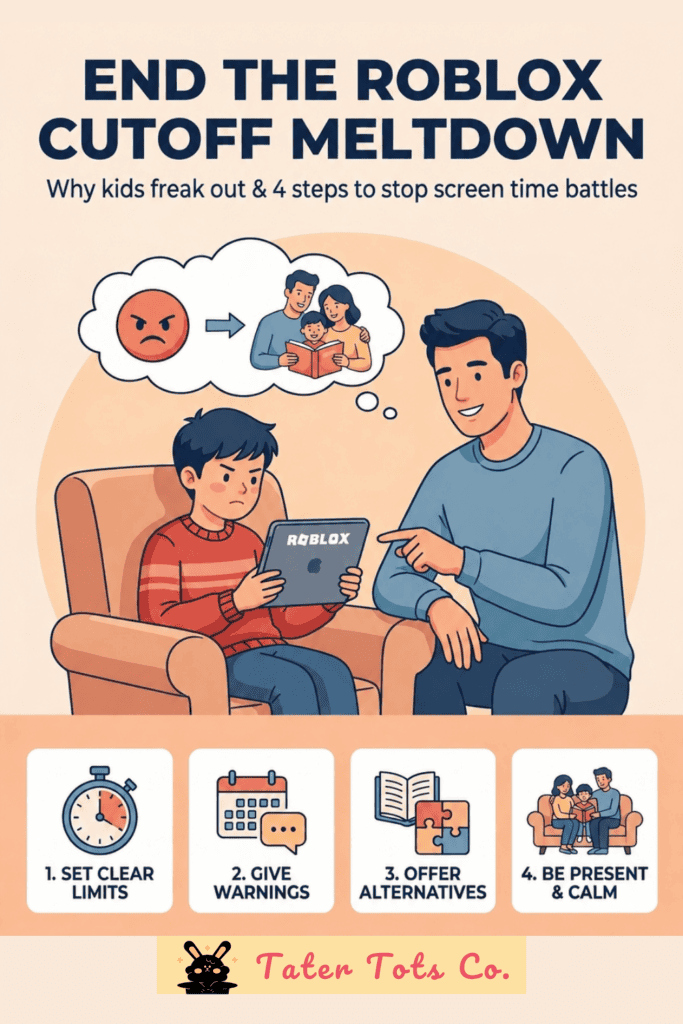
Technical limits handle app lockouts, but gentle human routines are required to soften emotional transitions when screens shut off:
1. The “Trading Up” Technique
Instead of taking something away and leaving an emotional void, transition your child to another appealing activity. Offer cuddle time with a family pet, reading a favorite book, listening to an upbeat song, or playing an outdoor sport.
2. Build a Bridge Back to Reality
A few minutes before screen time ends, enter the room and sit quietly beside your child. Watch what they are building or playing and offer a warm smile. Acknowledging their virtual world helps gently bridge their attention back to the physical room.
3. Let Device Timers Be the Neutral Limit
Remind your child of the time boundary before they begin playing. When an automated app limit locks the device, the timer becomes the neutral authority rather than the parent.
4. Hold Ground Without Lecturing
If a meltdown occurs, avoid arguing or going over rules while your child is emotionally dysregulated. Stay calm, use few words (“I know it’s hard, but screen time is finished for today”), and allow them a quiet, safe space to calm down.
When to Consult Your Pediatrician
While difficulty switching off screens is common, consult your child’s pediatrician if you observe persistent warning signs:
- Meltdowns occur every single time screens turn off, regardless of advance preparation.
- Changes in sleep patterns, appetite, hygiene, or school performance linked to gaming.
- Complete inability to tolerate brief periods of boredom without demanding a device.
- Social isolation or withdrawal from real-world family and peer activities.
Summary Checklist for Parents
🔒 Step 1: Configure Roblox Parental Controls & Spending Caps
- Link a verified adult account to your child’s profile via Roblox Family Center.
- Set monthly Robux budgets to $0 and enable purchase alert notifications.
- Set Content Maturity to Minimal/Mild and turn off direct chat with strangers.
📝 Step 2: Establish a Household Media Agreement
Use the free AAP Family Media Plan on HealthyChildren.org to set clear, agreed-upon screen-free zones (such as bedrooms and dinner tables).
🎓 Step 3: Build Internal Digital Safety Habits
Enroll your child in interactive digital literacy tools—such as Google Interland, Common Sense Media, or SafeQuest Lab—to teach long-term self-control and scam awareness.
Related Articles:
Internet Safety for Kids: Fun Games, Free Coloring Pages, and Helpful Resources
🔐 Unlock The Secret Vault
10 free printables for kids & parents — including our Preschool Preparatory Pack, Homeschool Planner Sample & more!
Join 2,000+ subscribers getting instant access to printable worksheets, planners, and learning resources.
Enter your details — we'll send your vault password instantly!